



【Learn the develop mode! One click and you're done!】
Q1:How to use the Develop mode?
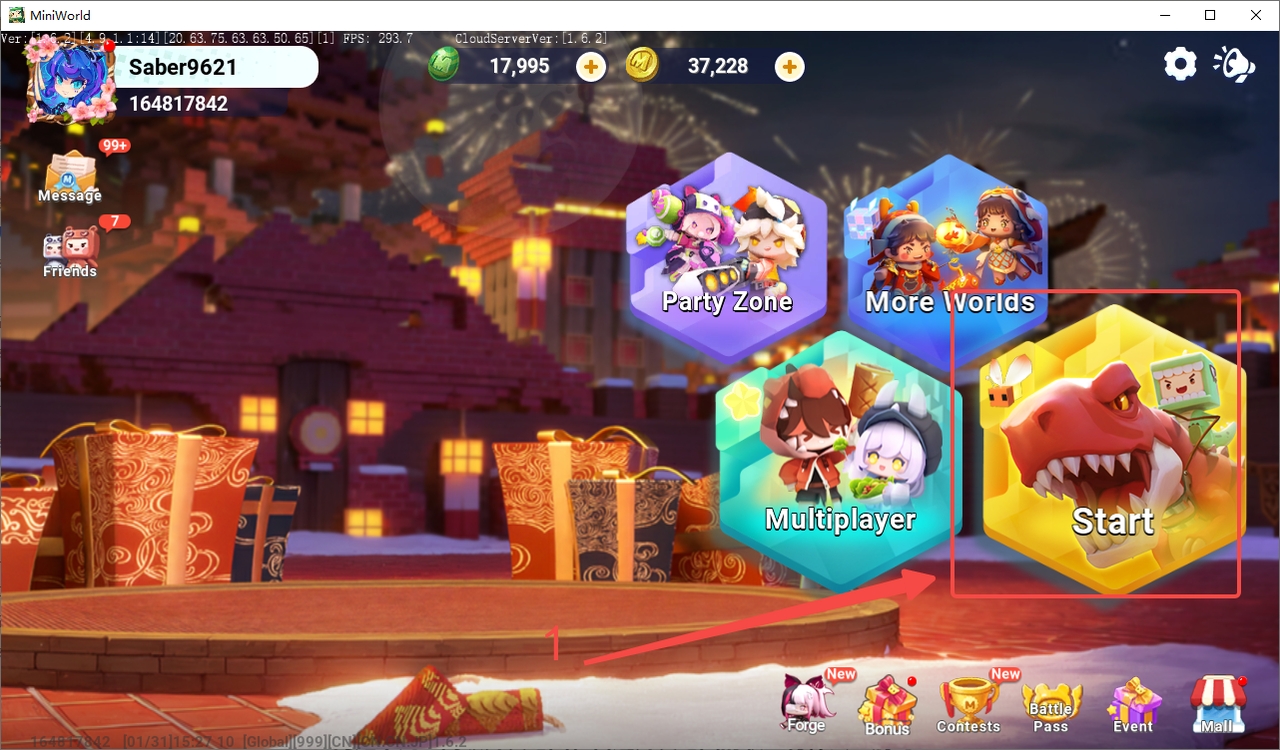
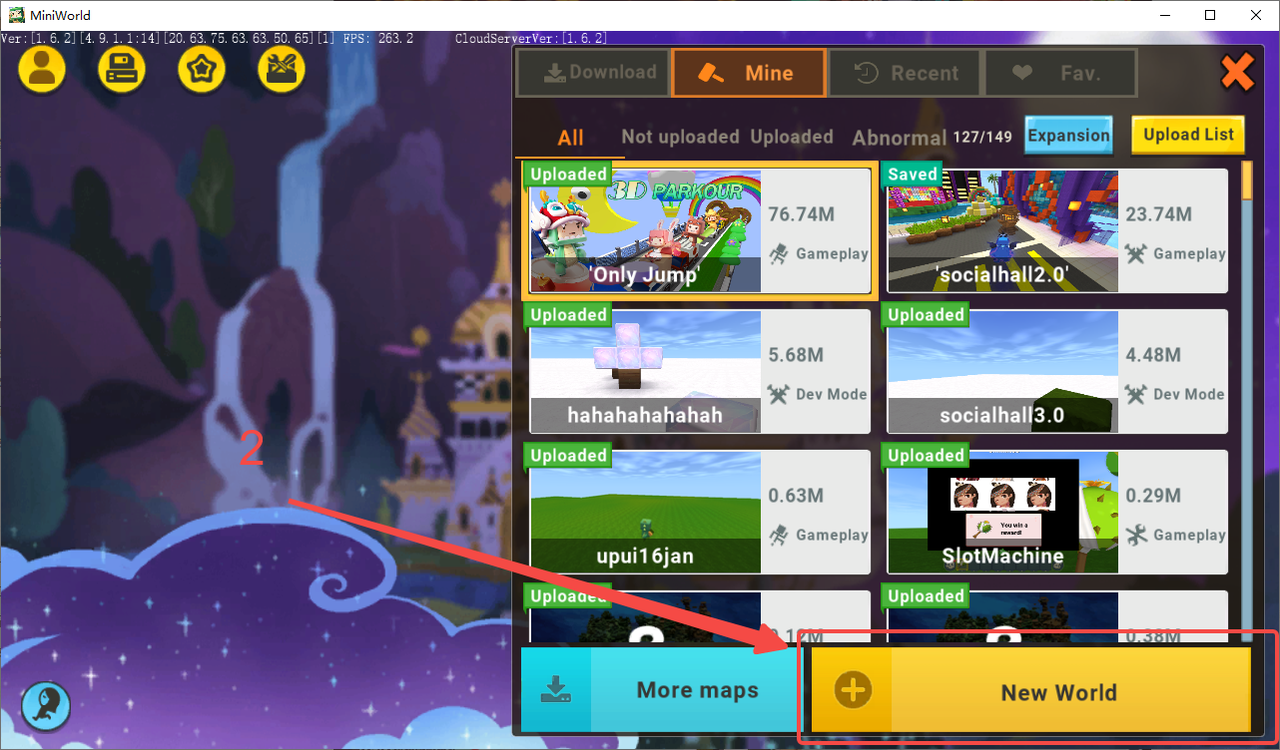
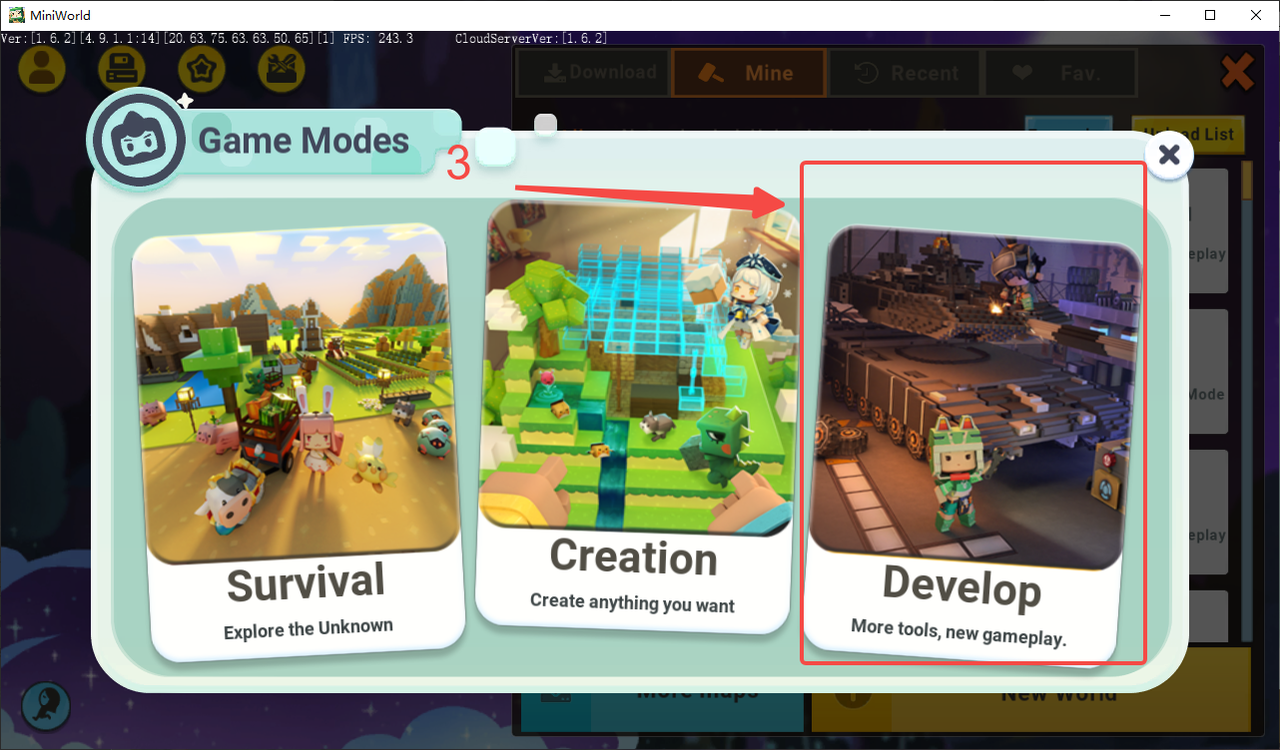
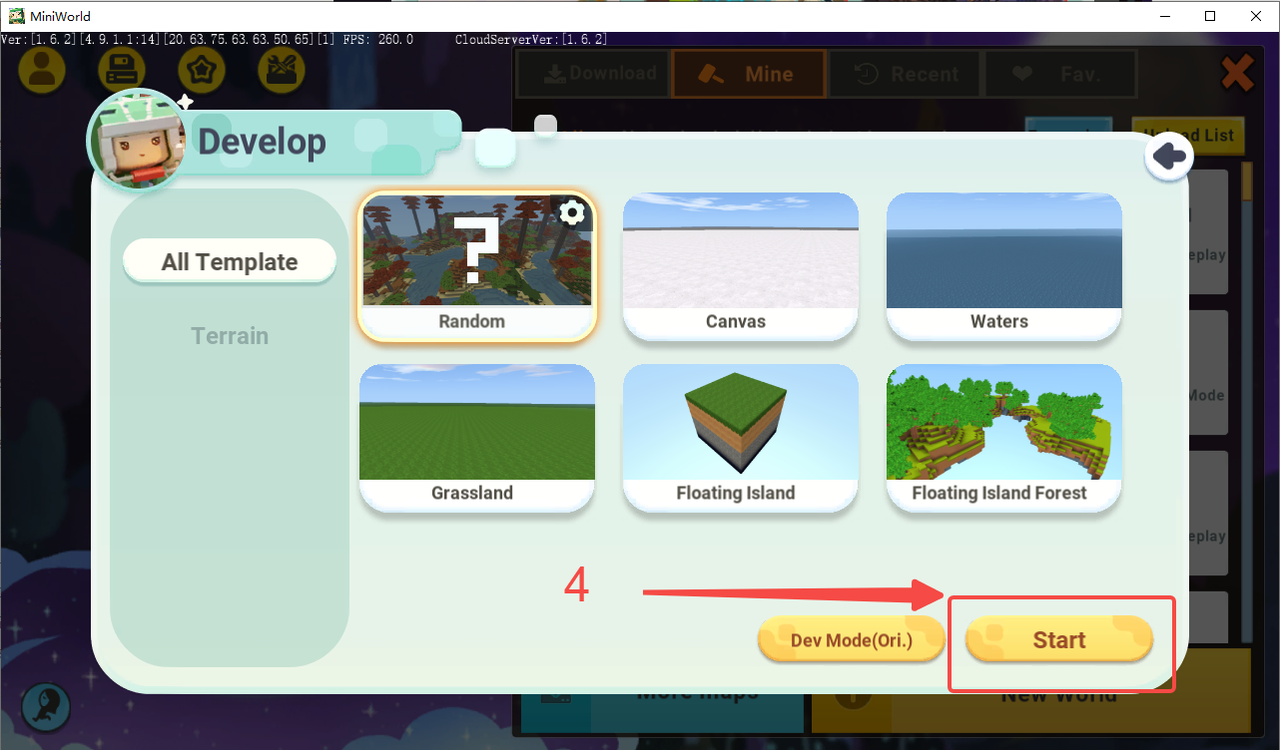
A:Click on (Start Game) -> click on (New World) -> click on (Develop) -> select the world terrain you want to edit and click on (Start). And you can use the Develop mode!
Q2:Is there any difference between the earnings of using the new develop mode or the original?
A:The earnings are the same, but new develop mode is more intuitive and convenient, and also supports more features.
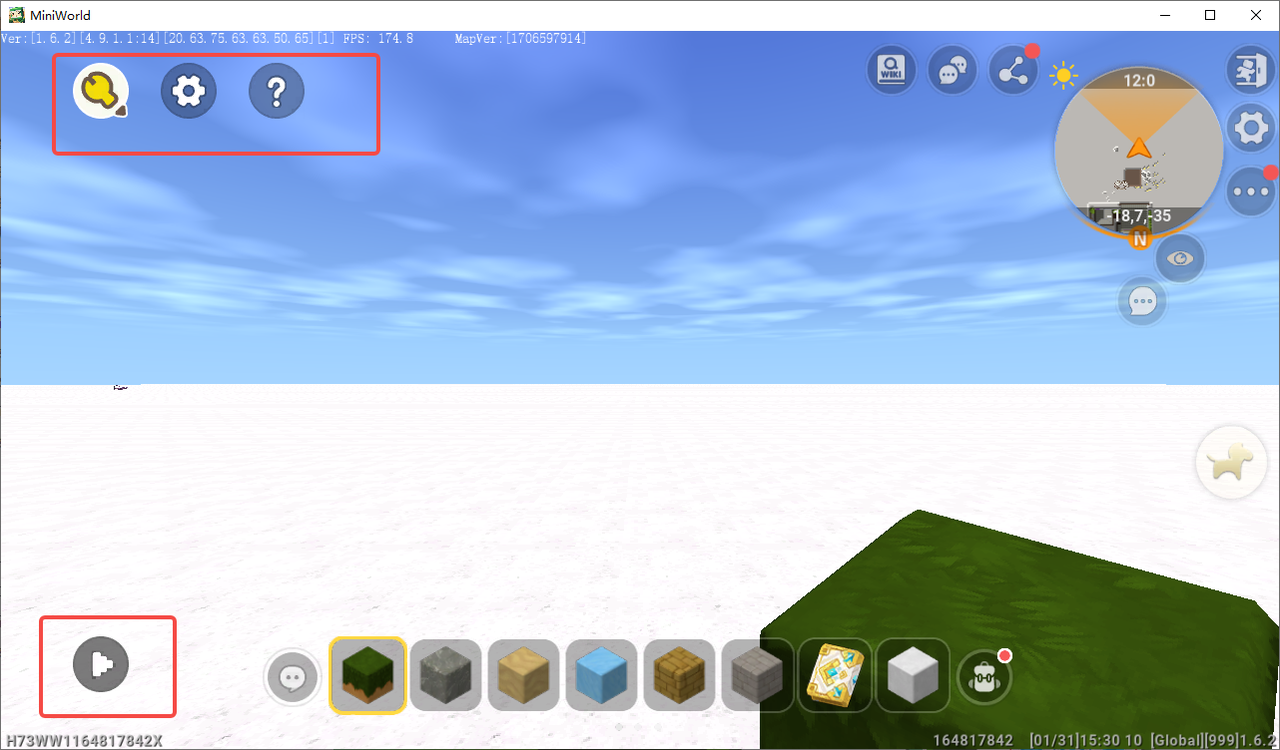
Q3:Where is the Basic Settings section in Advanced Mode?
A:In the upper left corner are Develop Mode, Game Settings, and Develop mode Teaching. The bottom left corner is for playtesting.
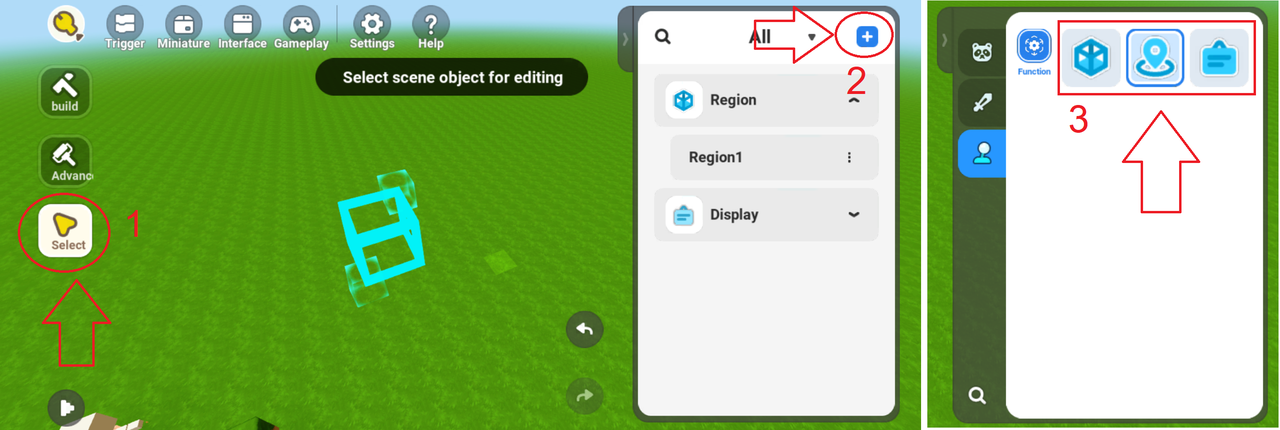
Q4:How to design areas and locations in develop mode?
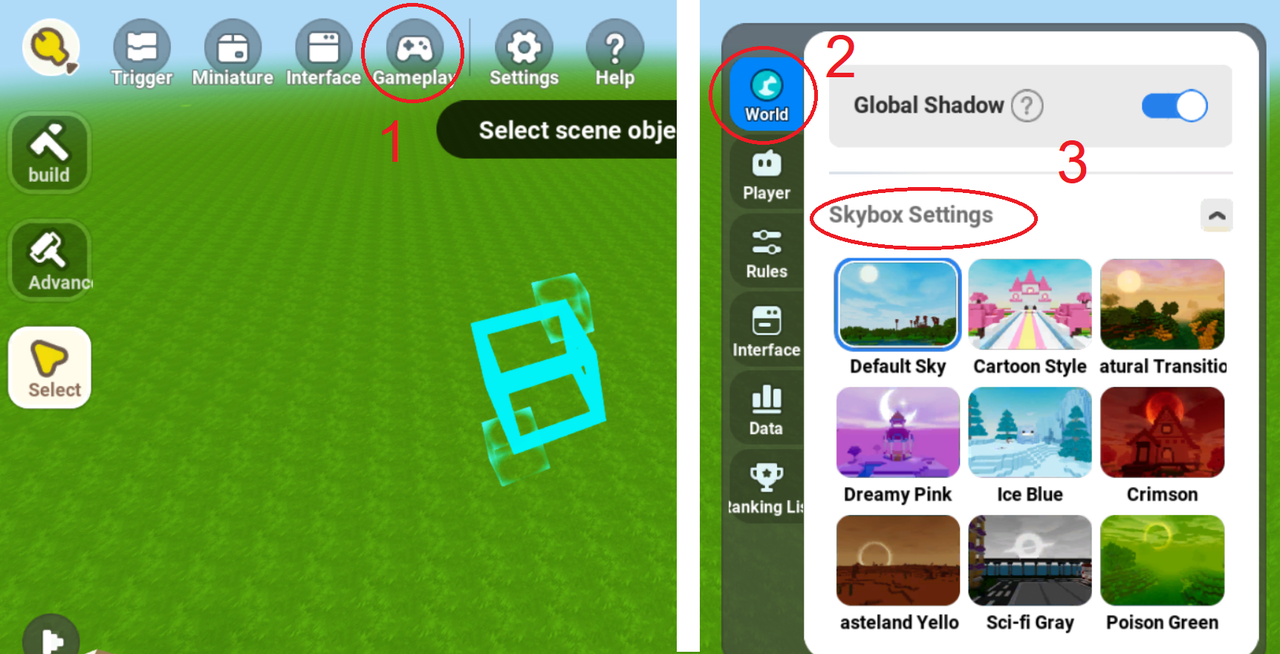
Q5:Where is the Skybox?
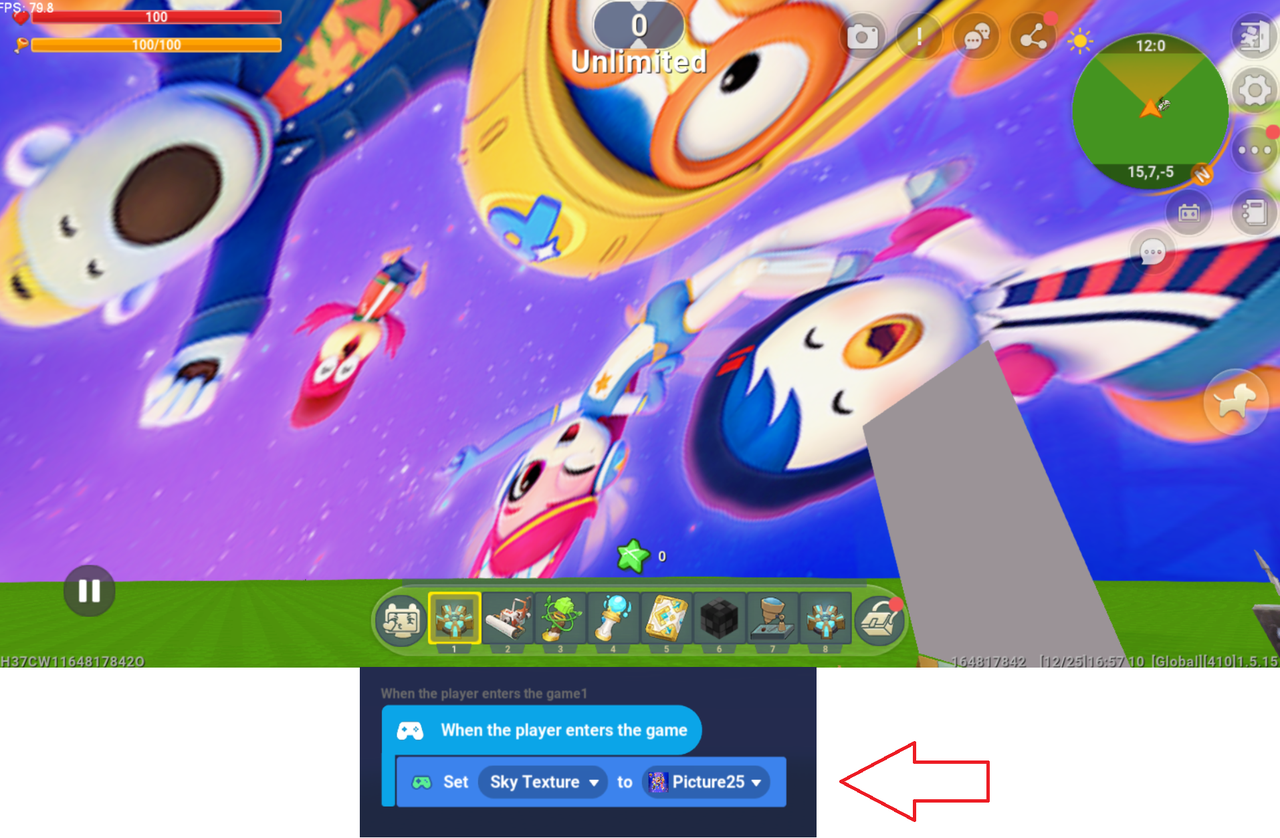
Q6:Can I add outside photos in skybox?
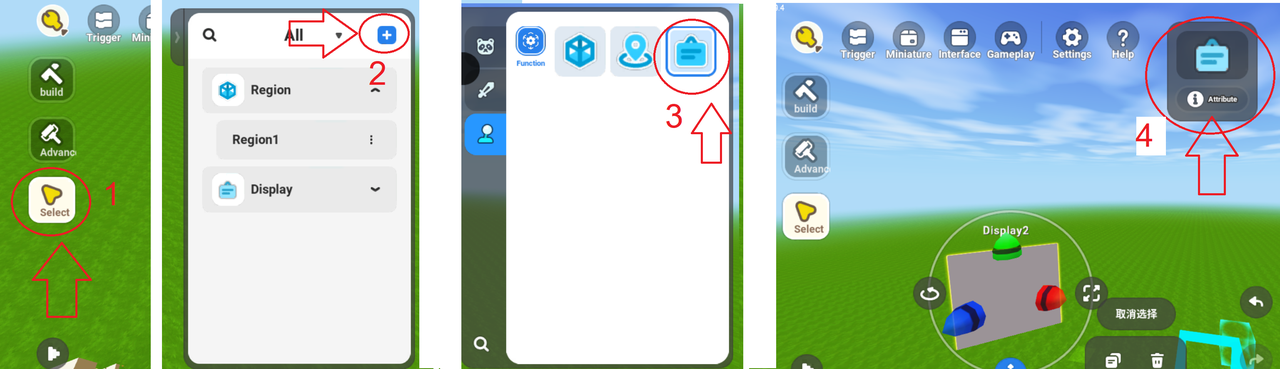
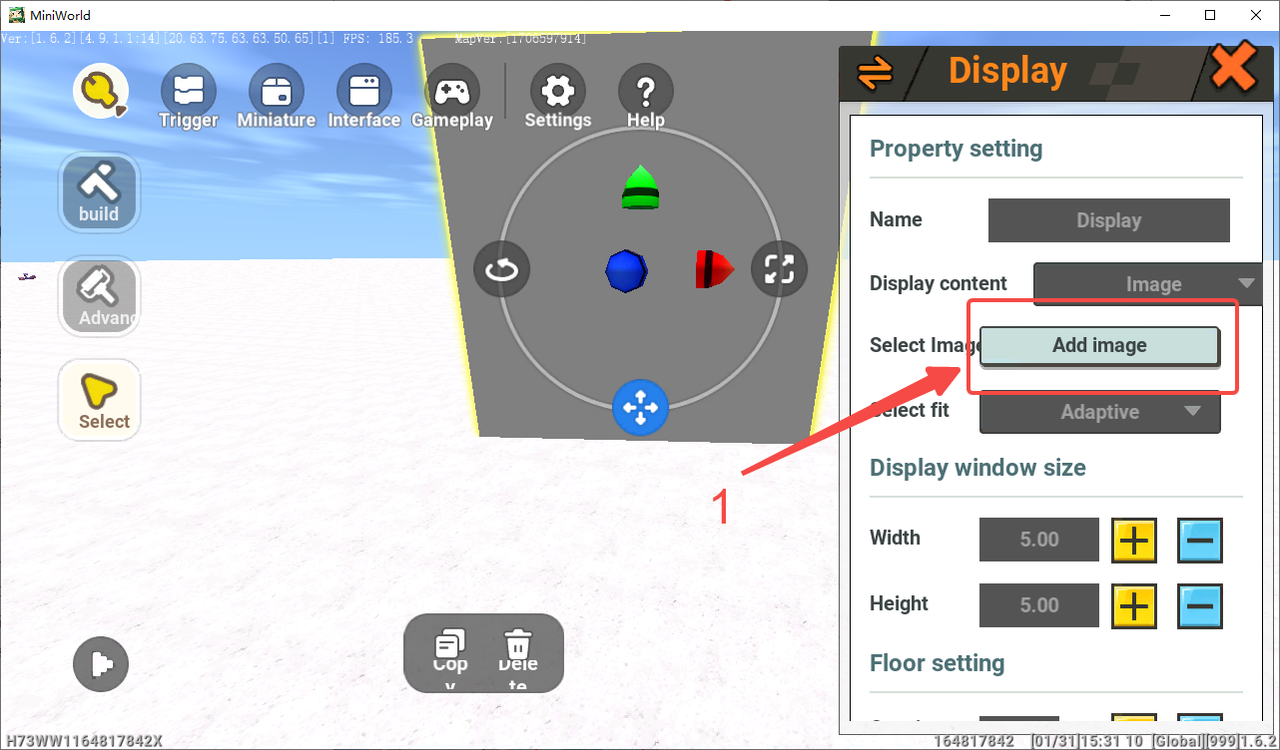
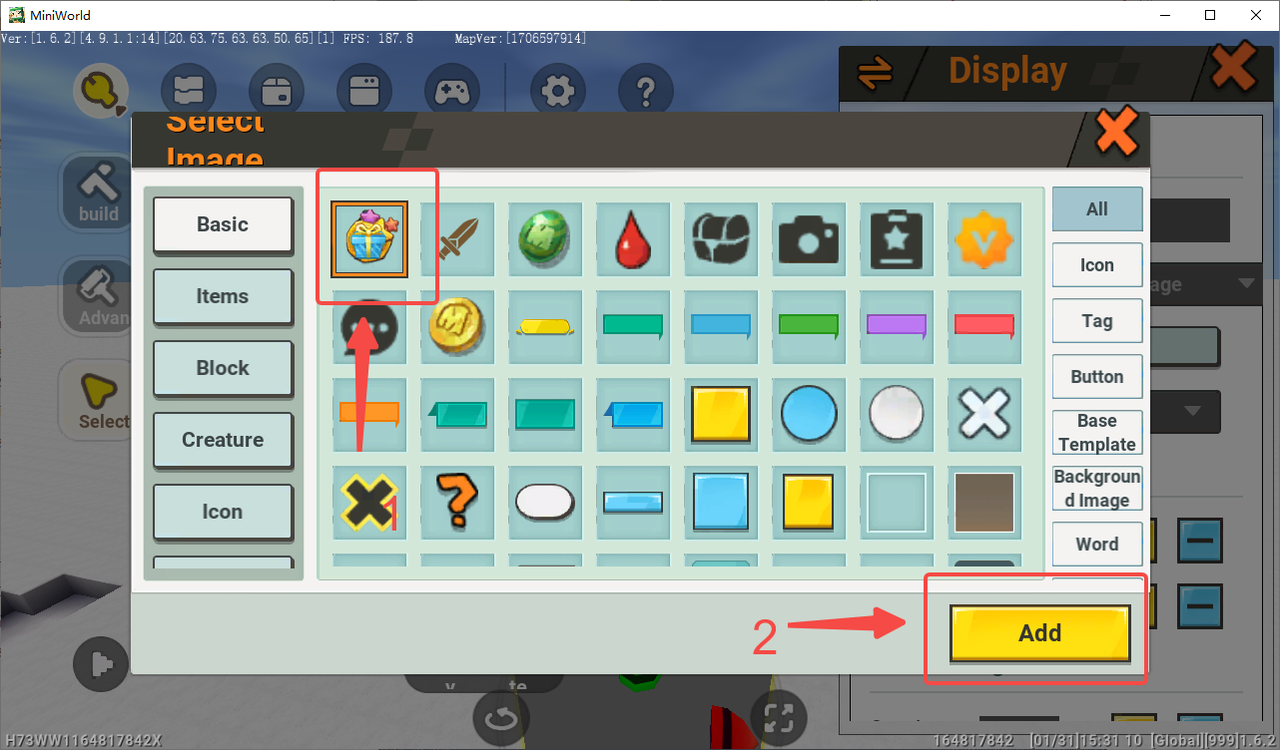
Q7:How to add photos on a scene?
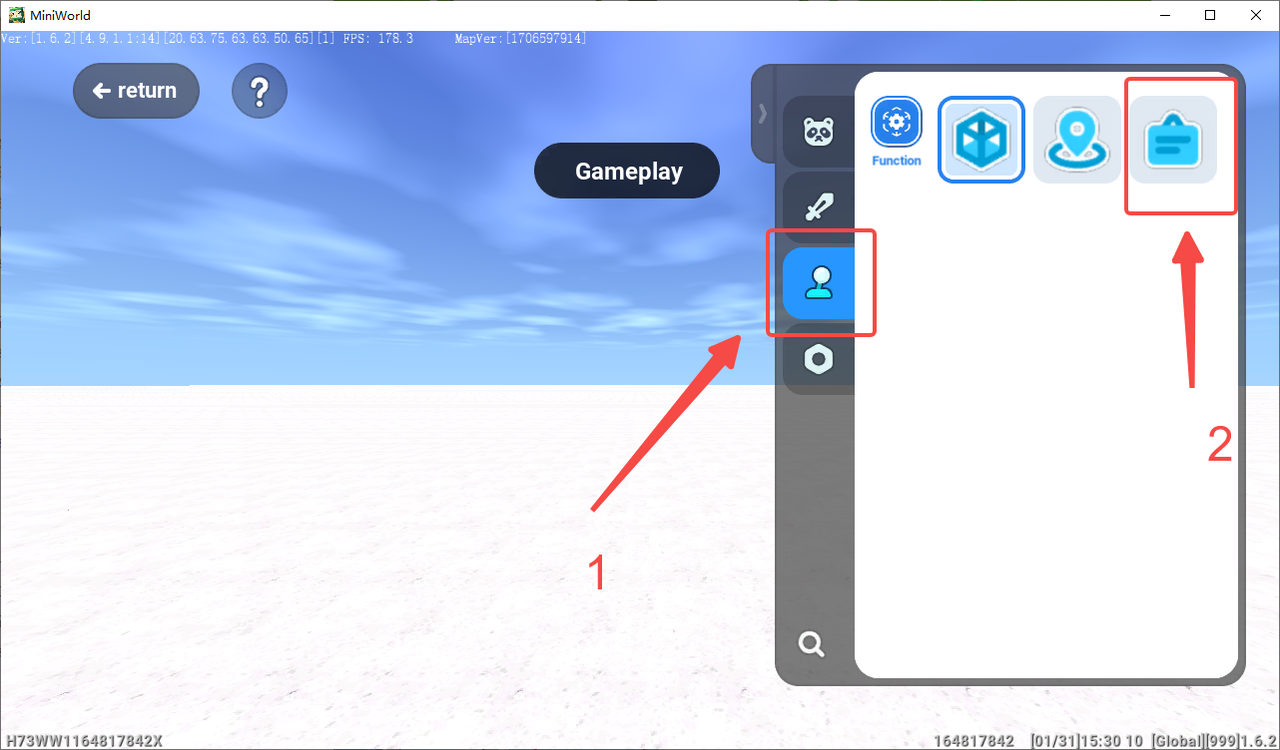
Q8:What level does a developer have to be at to be able to add images from the outside?
A:All players can upload pictures. The game version V.1.5.15 allows the new player to upload pictures.
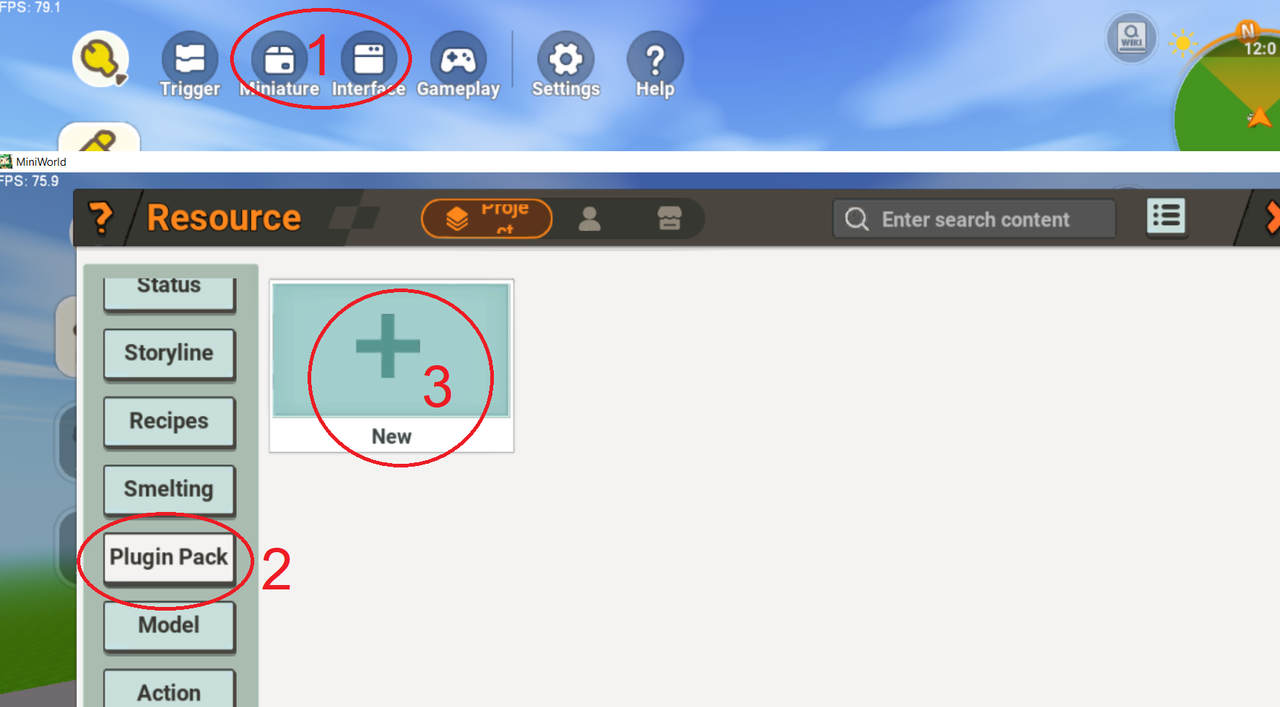
Q9:How do I create a new plugin in develop mode?
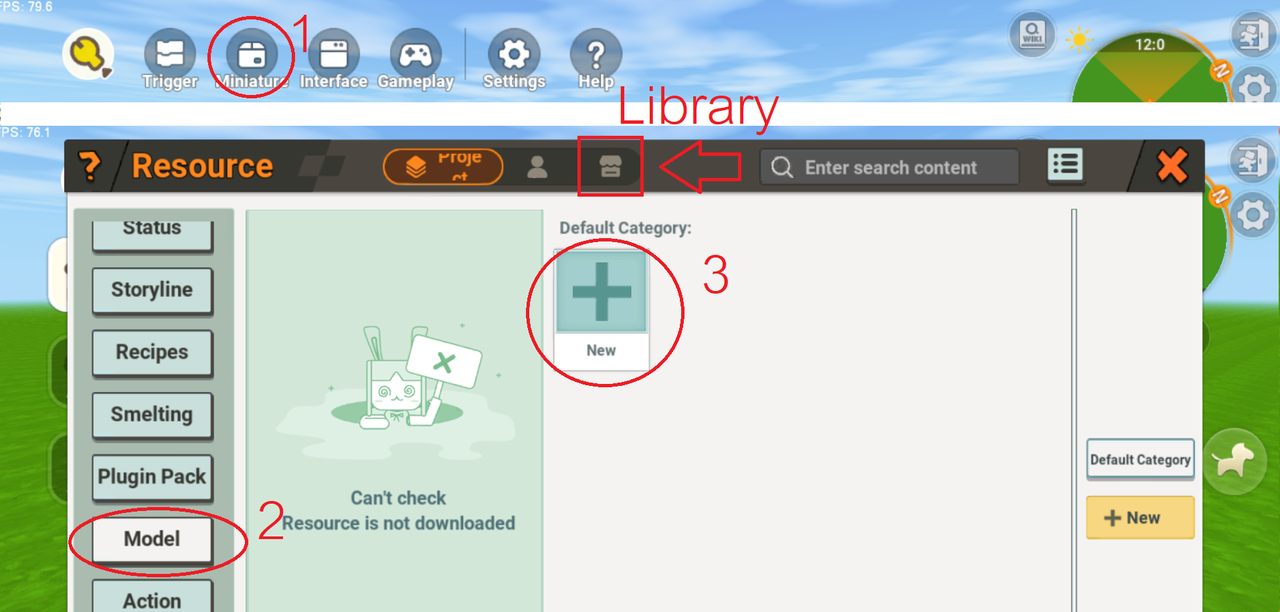
Q10:How to generate models and model libraries in develop mode?